macos-audio-tap
A Swift package and command-line tool that reads the level of everything playing on a Mac through Core Audio process taps and prints it in dBFS as JSON lines.
How loud is the Mac right now? audio-tap answers that a few times a second. It taps the system output with Core Audio process taps, computes the RMS level of each buffer, and prints it in dBFS. The audio never leaves the process. Your code gets a number and nothing else.
It needs macOS 14.4 or later, which is when process taps arrived.
Install
Build the command-line tool:
swift build -c release
.build/release/audio-tap --emit-interval-ms 100
Or add the Swift package and skip the separate process:
.package(url: "https://github.com/firedanceio/macos-audio-tap", from: "0.1.0")Example
Run it and you get one JSON object per line:
{"event":"ready"}
{"dbfs":-18.4,"event":"level","timestampMs":1791419046720}
{"deviceName":"MacBook Pro Speakers","event":"outputDeviceChanged"}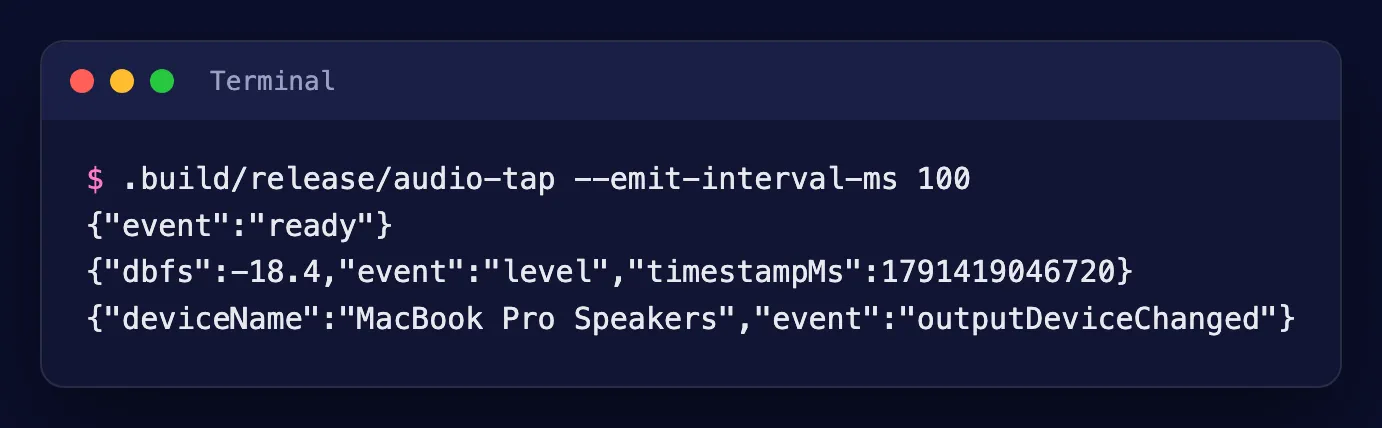
There are four events. ready means capture has started. level arrives every --emit-interval-ms (100 by default) with the loudness in dBFS, and silence reads -120. outputDeviceChanged fires when the default output moves, say from speakers to headphones. error means setup failed, and the process exits with status 1. Ctrl-C or SIGTERM stops capture and removes the tap.
Anything that can start a process and read lines can use it: Node, Python, a shell script. In Swift, the SystemAudioTap library gives you the same thing as callbacks:
import SystemAudioTap

let tap = SystemAudioTap(emitIntervalMs: 100)
tap.onLevel = { level in print(level.dbfs) }
try tap.prepare()
try tap.start(on: DispatchQueue(label: "levels"))
The permission that fails silently
The app running audio-tap needs System Audio Recording, under Privacy & Security in System Settings, and an NSAudioCaptureUsageDescription entry in its Info.plist. Without the permission macOS returns no error at all. Setup succeeds and the tap delivers perfect silence.
audio-tap prints a hint on stderr when nothing above -100 dBFS arrives within --silence-timeout-s (8 seconds by default). It can’t tell a missing permission from a quiet room, though. And the permission is tied to the app’s code signature, so re-signing with a different identity, an ad-hoc build for instance, can quietly reset it.
Limits
Level only: no samples, no frequency data, no per-app levels, because the tap covers every process at once. Process taps don’t exist before macOS 14.4.
One setup detail is worth knowing if you write your own. A private aggregate device with no sub-devices, or with the tap added after it’s created, can fail to start on some machines. audio-tap uses the default output device as the sub-device and lists the tap when the device is created.
Licence
Apache 2.0. It builds on patterns from the open-source projects AudioCap and AudioTee, credited in the repository’s NOTICE file.
Read the announcement: Our first open source release.