kicad-fab-tools
A Python command-line tool that checks a KiCad board before you order it: design rules, parts list against the board, LCSC stock and price, then JLCPCB files.
kicad-fab-tools is for the step just before a board order, while a footprint missing from the parts list or a connector placed a quarter-turn wrong is still a free fix instead of a re-spin. It reads your KiCad board and a CSV parts list, checks them against each other and against live LCSC stock, and writes the files JLCPCB asks for. Firedance uses it for FirePod’s board orders.
Install
Python 3.9 or newer and KiCad 8 or newer. Nothing else.
pip install git+https://github.com/firedanceio/kicad-fab-toolsThe tool drives kicad-cli. It finds it on your PATH or inside the macOS KiCad app; anywhere else, point KICAD_CLI at it.
Example: the whole order in one command
kicad-fab fab board.kicad_pcb --bom bom.csv --fixes rotation-fixes.csv -o fab-outfab runs KiCad’s design-rule check first and stops on any error, unless you pass --allow-drc-errors. Then it zips Gerbers for every copper layer with the drill files, compares the parts list with the board, and writes a JLCPCB BOM and placement file with your rotation fixes applied. Parts-list problems are printed and end the run with exit status 1, though the JLCPCB files are still written so you can open them.
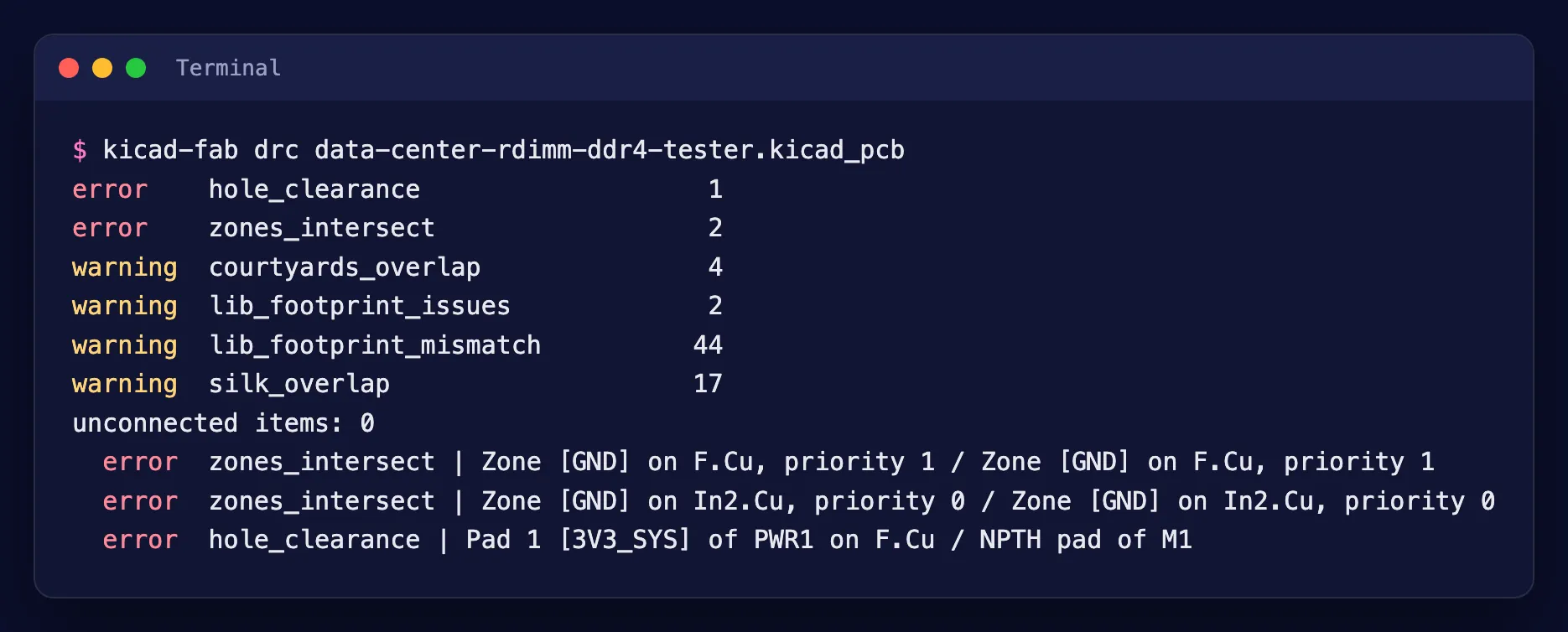
kicad-fab drc on its own turns KiCad’s report into something you can read at a glance. On Antmicro’s open-source DDR4 tester that’s three errors and 67 warnings, counted by type, then the three errors spelled out with the parts and layers involved:
The separate checks
| Command | What it does |
|---|---|
kicad-fab drc board.kicad_pcb | Counts by type and severity, each error and open connection; exits 1 on errors. Also reads an existing DRC JSON. |
kicad-fab bom-check --board board.kicad_pcb --bom bom.csv --qty 10 | One parts-list line per footprint, every placed part on the board, matching footprint names, and stock for your build plus spares |
kicad-fab bom-cost --bom bom.csv --boards 10 | Prices the placed parts at your quantity from LCSC’s price tiers and counts the extended parts |
kicad-fab jlc --board board.kicad_pcb --bom bom.csv --fixes rotation-fixes.csv | Writes JLCPCB’s BOM and placement files with rotation and offset fixes |
Spares default to 20 % plus 5 extra per line; --spare and --attrition change that.
The parts list is a CSV with one line per part and loosely matched column names: Designators, MPN, Footprint, LCSC and Assemble (anything but yes or blank, such as DNP or hand, means the factory leaves it off). A line without an LCSC number isn’t sent to JLCPCB. There’s a sample in examples/bom.csv.
Rotation fixes
KiCad and JLCPCB don’t always agree on where a footprint’s zero rotation or origin is. When the factory’s placement viewer shows a part turned or shifted, add one line for that footprint:
footprint,rotation,dx,dy
SOT-23,180,0,0
Every instance of it is fixed from then on. The offsets are in millimetres in the footprint’s own frame, so they hold whichever way the part sits. jlc and fab also list every placed footprint that has no line yet, which makes a good checklist for the viewer.
Limits
fab doesn’t look at stock or price. Run bom-check and bom-cost for that.
Stock and prices come from the JSON endpoint behind JLCPCB’s public parts search, which isn’t a documented API and could change. A failed lookup is reported as a failure, never as “in stock”.
The BOM and placement files are in JLCPCB’s format. Set the drill and place origin at the board’s lower-left corner in KiCad so every coordinate comes out positive; assembly houses ask about negative ones.
Licence
Apache 2.0.
Read the announcement: kicad-fab-tools: circuit board orders, checked.